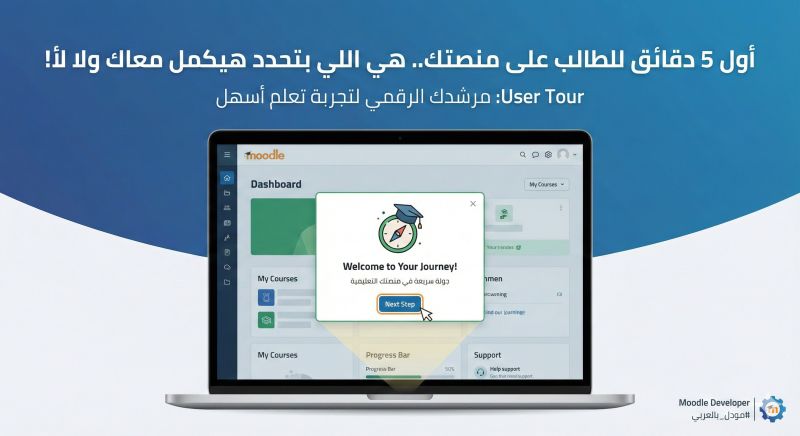
The First 5 Minutes on Your Platform... Decide If a Student Stays or Leaves!
The First 5 Minutes on Your Platform... Decide If a Student Stays or Leaves!
Imagine a student who just enrolled in your course. They paid, logged in for the first time... only to find a maze of buttons, files, videos, and assignments. If they get lost in those crucial first 5 minutes, frustration sets in. Their very first action? Contacting technical support just to ask: "Where do I start?" or "What am I supposed to do?"
As a Senior Moodle Developer who has worked with large educational institutions, I've noticed that the biggest strain on support teams comes from students simply not knowing how to navigate the platform, where to begin, or how to access their materials and certificates.
The Solution: It isn't a long, boring platform tutorial video that most users will skip anyway. The real solution is a User Tour.
What is a User Tour and why is it crucial for your business? Simply put, it’s a digital tour guide. It takes the student by the hand the moment they open the platform, walking them through step-by-step:
"Here is where you'll find your lectures." (Highlighting the course content).
"Track your progress from here." (Pointing to the completion bar).
"Need help? Open a support ticket here." (Directing them to technical support).
Why are the User Tours I build different? Because they are rooted in the science of Learning Experience Design (LXD):
A Clear Journey: Having a strong background in Instructional Design, I know exactly how to guide the student's focus without overwhelming them with unnecessary details.
Visual Harmony: I blend my UI/UX expertise to ensure the tour pop-ups seamlessly match your brand's visual identity, creating an intuitive, comfortable, and non-intrusive experience.
The Results You'll See as a Business Owner:
Over a 40% drop in repetitive technical support inquiries.
Increased student engagement because they can actually find the content quickly.
A professional impression that your platform is smart and prioritizes the user experience.
The Takeaway: Don't let your students drown in details. Guide them right from the very first second.
Question for you: What is the most common question your LMS support team receives?
Imagine a student who just enrolled in your course. They paid, logged in for the first time... only to find a maze of buttons, files, videos, and assignments. If they get lost in those crucial first 5 minutes, frustration sets in. Their very first action? Contacting technical support just to ask: "Where do I start?" or "What am I supposed to do?"
As a Senior Moodle Developer who has worked with large educational institutions, I've noticed that the biggest strain on support teams comes from students simply not knowing how to navigate the platform, where to begin, or how to access their materials and certificates.
The Solution: It isn't a long, boring platform tutorial video that most users will skip anyway. The real solution is a User Tour.
What is a User Tour and why is it crucial for your business? Simply put, it’s a digital tour guide. It takes the student by the hand the moment they open the platform, walking them through step-by-step:
"Here is where you'll find your lectures." (Highlighting the course content).
"Track your progress from here." (Pointing to the completion bar).
"Need help? Open a support ticket here." (Directing them to technical support).
Why are the User Tours I build different? Because they are rooted in the science of Learning Experience Design (LXD):
A Clear Journey: Having a strong background in Instructional Design, I know exactly how to guide the student's focus without overwhelming them with unnecessary details.
Visual Harmony: I blend my UI/UX expertise to ensure the tour pop-ups seamlessly match your brand's visual identity, creating an intuitive, comfortable, and non-intrusive experience.
The Results You'll See as a Business Owner:
Over a 40% drop in repetitive technical support inquiries.
Increased student engagement because they can actually find the content quickly.
A professional impression that your platform is smart and prioritizes the user experience.
The Takeaway: Don't let your students drown in details. Guide them right from the very first second.
Question for you: What is the most common question your LMS support team receives?